Less Admin, More Adventures
Streamline Your Business
The core of our software provides robust scheduling management for simple and complex fishing charters alike. Know what's coming, manage your schedule on the fly, and keep your clients happy.
Booking Widget
The Mallard Bay Website Widget is an embeddable booking experience for your own marketing site, whether it runs on Wix, WordPress, or custom HTML. Guests tap a tab, button, text link, or inline embed and move straight into Mallard Bay booking flows. Every booking lands in your dashboard tied to the same listings and availability as every other channel.
Trip Insurance
Last-minute cancellations hurt your business. With Trip Insurance, your clients get peace of mind—and you keep your payout. No refunds. No reschedules.
Client Portal
Clients is the guest roster inside Mallard Bay: one place to see everyone you know, segment them into client lists for outreach and campaigns, and tag them with custom properties you define. Client records connect to bookings, quotes, leads, and messaging, so notes and history follow each guest across sales and operations.
Manage Leads
Leads is an inbox for inbound interest in Mallard Bay. Each row shows the prospect, a cold, warm, or hot quality flag, source, contact details, prior bookings, gross sales, and notes. Move leads through New, Contacted, Quoted, Booked, Lost, and Disqualified. Leads arrive by manual entry, CSV import, Facebook and Instagram, your custom forms, or the AI assistant.
Related Services
Paid Ads Built to Convert
Paid Ads Built to Convert
Designed specifically for hunters and anglers, targeted to bring in the right kind of clients.
Custom Outfitter Website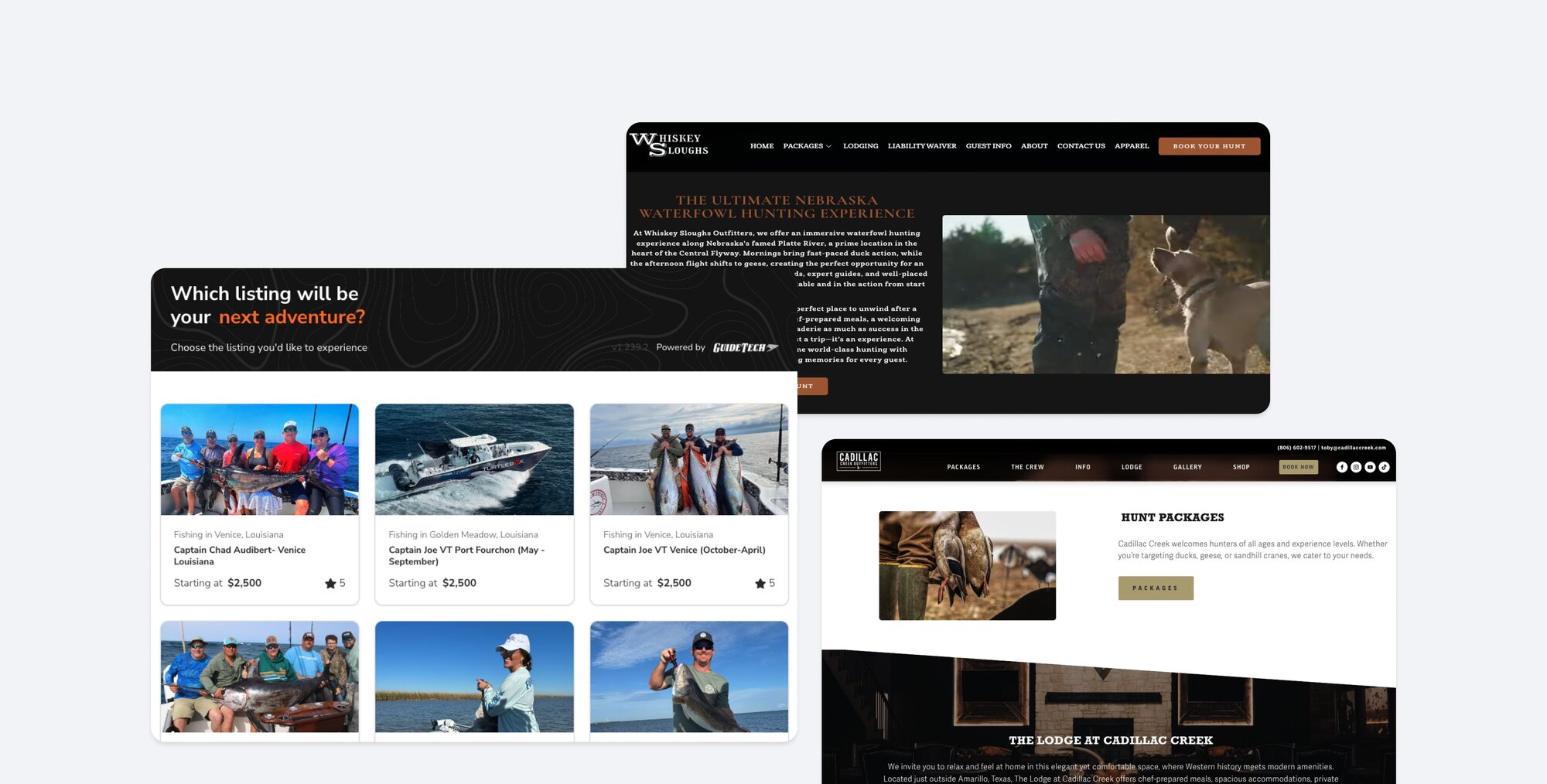
Custom Outfitter Website
Designed for conversion and built to last — clean, mobile-friendly, and easy to update.
Google Business Profile Setup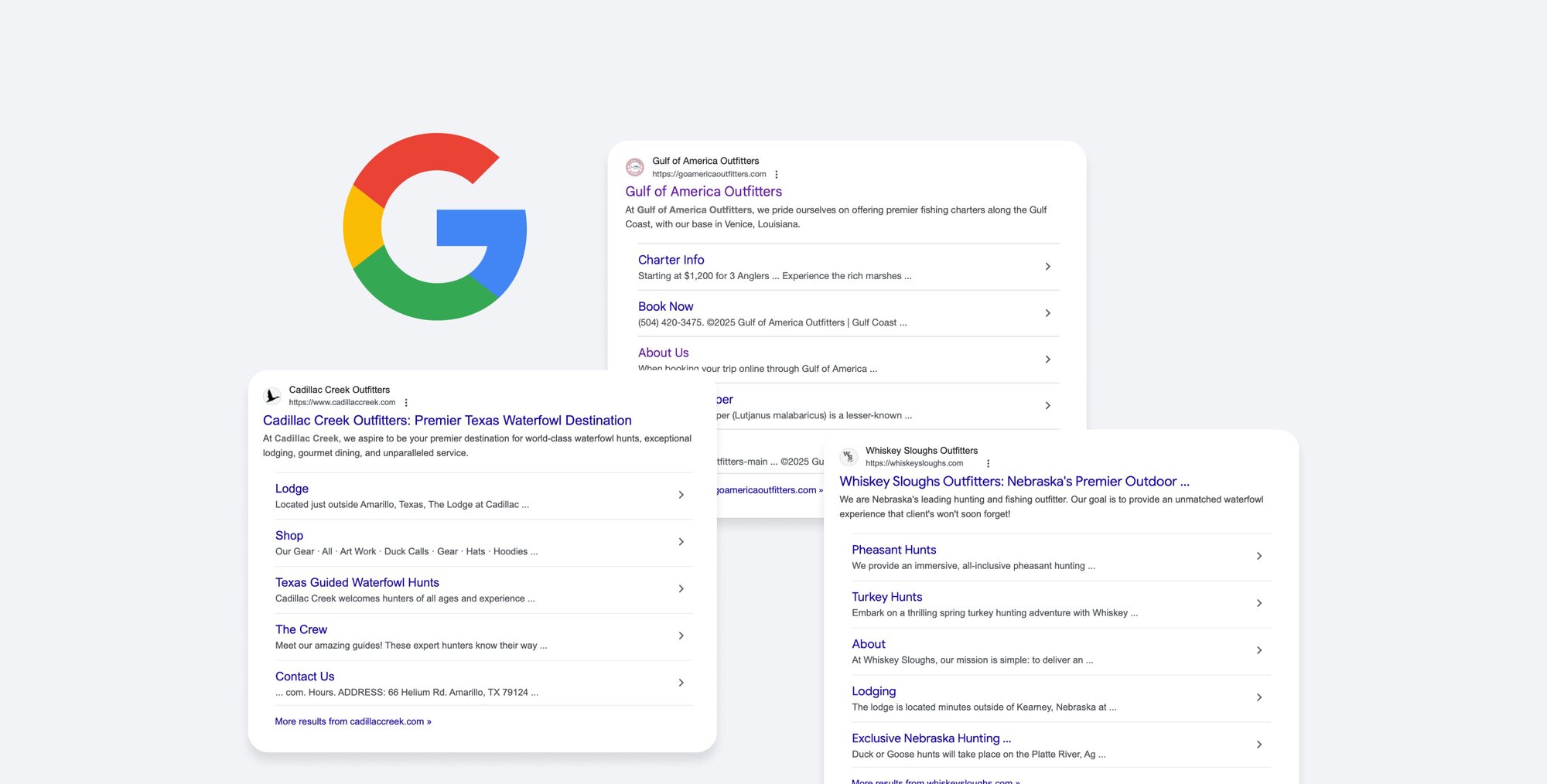
Google Business Profile Setup
Get found when it matters most — by folks searching for guides like you.
Ready to get started?
FAQs
Mallard Bay is outfitter experience management software for hunting and fishing outfitters, charters, and lodges. One dashboard and mobile app run bookings, quotes, calendar and availability, guest payments and payouts, clients and leads, forms and waivers, email and SMS automations, and reporting. Mallard Bay also builds and hosts outfitter websites with a booking widget, and offers managed marketing services such as paid Facebook and Instagram ads. Susie, the built-in AI co-pilot, answers questions about the dashboard and helps with scheduling. Mallard Bay is based in Baton Rouge, Louisiana.
You publish listings, the trips, hunts, or packages you sell, with photos, availability, and pricing packages. Guests book from your Mallard Bay website, the booking widget on your own site, a quote link, or a Mallard Bay marketplace listing. Every reservation lands in Bookings, where you see status, guests, dates, and money owed, request payments, and add internal bookings you took by phone. The mobile app gives you and your guides the same bookings, calendar, quotes, and payments in the field.
Getting started is free. Book a demo at mallardbay.com/for-guides/book-a-demo and the team will walk you through the platform and set up your account, or call 1-225-831-8211 to talk to someone directly. If you would rather explore on your own, choose the free plan at mallardbay.com/pricing, then use the dashboard's onboarding checklist to add your business profile, connect payments, and build your first listing.
Paid plans start at $199 per month and include the full booking platform, a custom website with unlimited edits, and a marketplace listing. A free plan is available to get started. Growth packages cover CRM tools, managed paid ads, QuickBooks integration, and white-glove services such as social media and SEO; seasonal discounts may apply. Your subscription is billed through Stripe and is separate from the guest payments you collect. Schedule a demo to find the right fit.
Yes. The free plan lets you explore the platform and start building your listings with no charge. Choose "Subscribe" on the free option at mallardbay.com/pricing to dive in on your own. Most outfitters book a demo first so the team can show the full system and recommend a setup for their operation.
No. Mallard Bay is software, not a booking agency, and paid plans carry no commission on bookings you take through your website, widget, quotes, or the app. On the free plan, marketplace fees apply only to trips Mallard Bay sources for you through the marketplace. Once you are on a paid plan, what you book is yours.
Guest payments go into your Stripe connected account and are paid out to your bank, typically within two business days. The Payouts tab in Reporting shows every transfer with its amount, bank destination, initiation time, estimated arrival, and the guest payments that funded it. Unpaid balances stay listed until they process, so you always know what is still owed.
Yes. You can take cash or checks and log those trips as internal bookings so your calendar stays accurate and you avoid double-booking. For card payments in person, the mobile app supports Tap to Pay on your phone or a connected card reader. Mallard Bay does not force one way of getting paid; modern checkout and traditional methods live on the same calendar.
Yes. Use Group Pay to split a booking so each guest pays their own share by link, or send additional payment requests from the booking to individual guests. For guests standing in front of you, create a Quick Pay or use Tap to Pay in the mobile app and the payment is recorded against the booking immediately.
The quote becomes a confirmed booking. A quote lives under Quotes until the guest finishes checkout from the quote link; at that point Mallard Bay creates the booking, puts the trip on your calendar, and moves it to the Bookings list, where payments, forms, waivers, and guest communication continue.
Yes, both directions. Under Integrations → Calendar, import an ICS feed from Google Calendar, Outlook, Apple, or an OTA such as Airbnb or Vrbo so busy dates block availability on the listings, lodging, and resources you choose. Export Mallard Bay availability as a subscription link and follow it in Apple Calendar, Google Calendar, or Outlook. Imports block dates; they do not create bookings with guests and payments.
Yes. Rooms, lodges, guides, boats, vehicles, and other resources each have their own availability, and the calendar shows how they are scheduled against trips. Resources can be assigned automatically when a booking is made or added afterward. External calendar imports can block dates on listings, lodging, and resources so a room booked elsewhere is not double-booked here.
Full control. Open any booking to adjust dates, guests, pricing, or notes for weather or group changes, request an additional payment, or record a payment you took another way. You can cancel, refund, or reschedule in a few clicks, and the customer success team can handle it for you if you prefer.
No. Your Mallard Bay listing pages can act as your website and include everything a guest needs to book online. If you already have a site you like, embed the booking widget; it works on Wix, WordPress, or custom HTML. If you want a new site, the Website Builder in the dashboard, or the Mallard Bay team, can build a listing-connected website on your own domain. Examples are at mallardbay.com/for-guides/features/brand-presence.
Yes. One login can manage several outfitter accounts; you switch the active outfitter in the dashboard or mobile app, and bookings, calendar, clients, and reports refresh for that business. Where payments must route to different bank accounts, Mallard Bay can set up separate accounts to match your structure.
Ask Susie anything about running your business in Mallard Bay: how to manage availability and bookings, how to create a custom form, how to set up automated emails to clients, how payouts work, or where a setting lives. Her answers come from the Mallard Bay knowledge base and are scoped to the screen you are on. In Smart Schedule she can also open or block dates for you after you confirm a preview.
No. If you can check your email, you can run your business on Mallard Bay. Susie, the AI co-pilot inside the dashboard and mobile app, answers "how do I" questions with steps for the screen you are on, and the support team is available seven days a week. The knowledge base at mallardbay.com/pro/knowledge-base covers every screen.
