Outfitter Management System
Explore all the features designed to streamline your operations.
Work Smarter with AI-Powered Insights
AI-powered tools help you optimize operations while comprehensive reporting gives you the insights you need to make smarter business decisions.
AI Tooling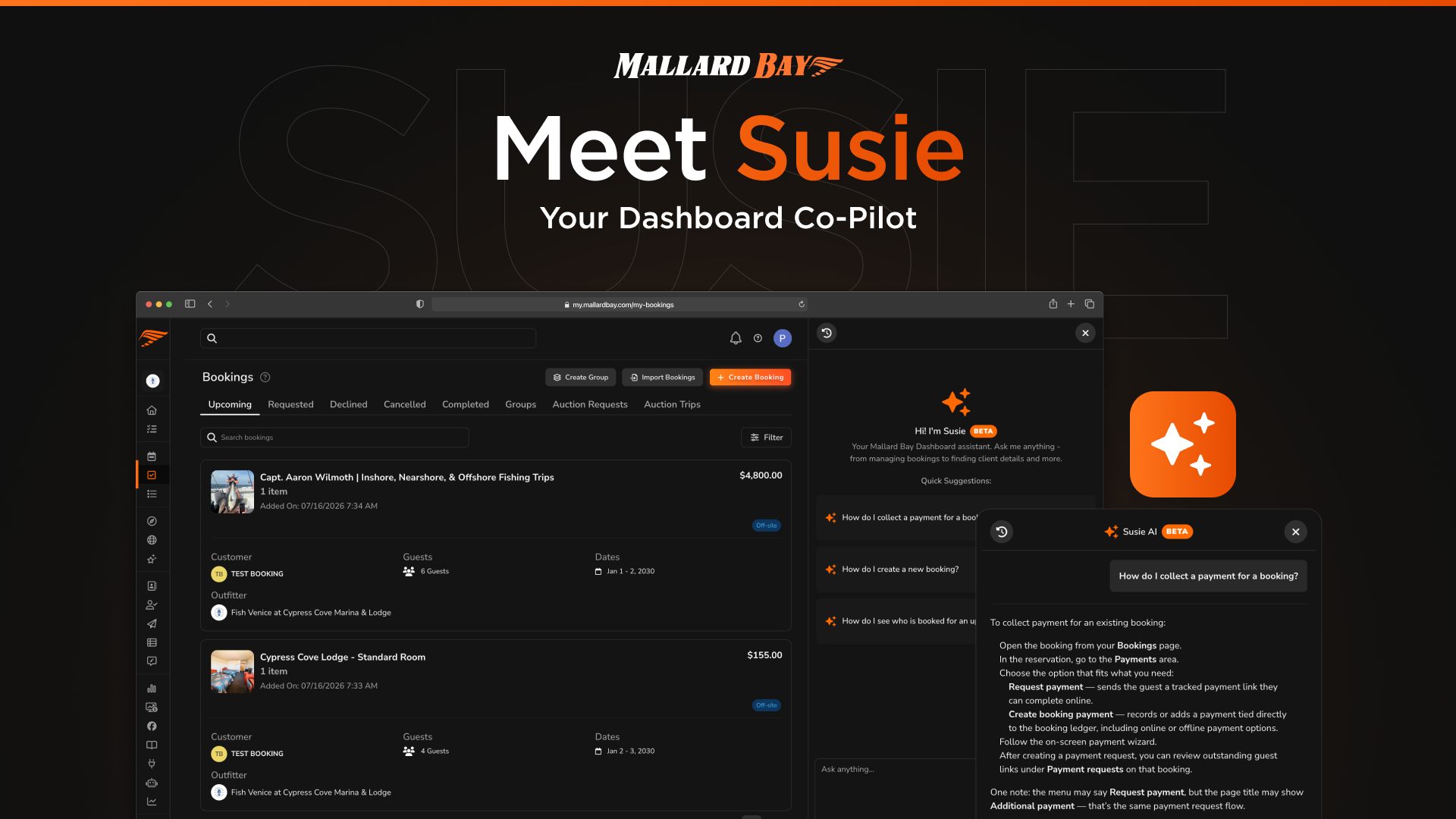
AI Tooling
Susie is the AI co-pilot built into the Mallard Bay dashboard and mobile app. Ask her how to manage availability and bookings, create a custom form, or set up automated client emails, and she answers with steps for the screen you are on. With Smart Schedule you describe availability changes in chat, preview them on a calendar, and confirm before anything is applied.
Get Paid Faster & Simplify Your Finances
Streamline payments, automate payouts to guides, and keep your books organized with seamless QuickBooks integration.
Streamlined Payments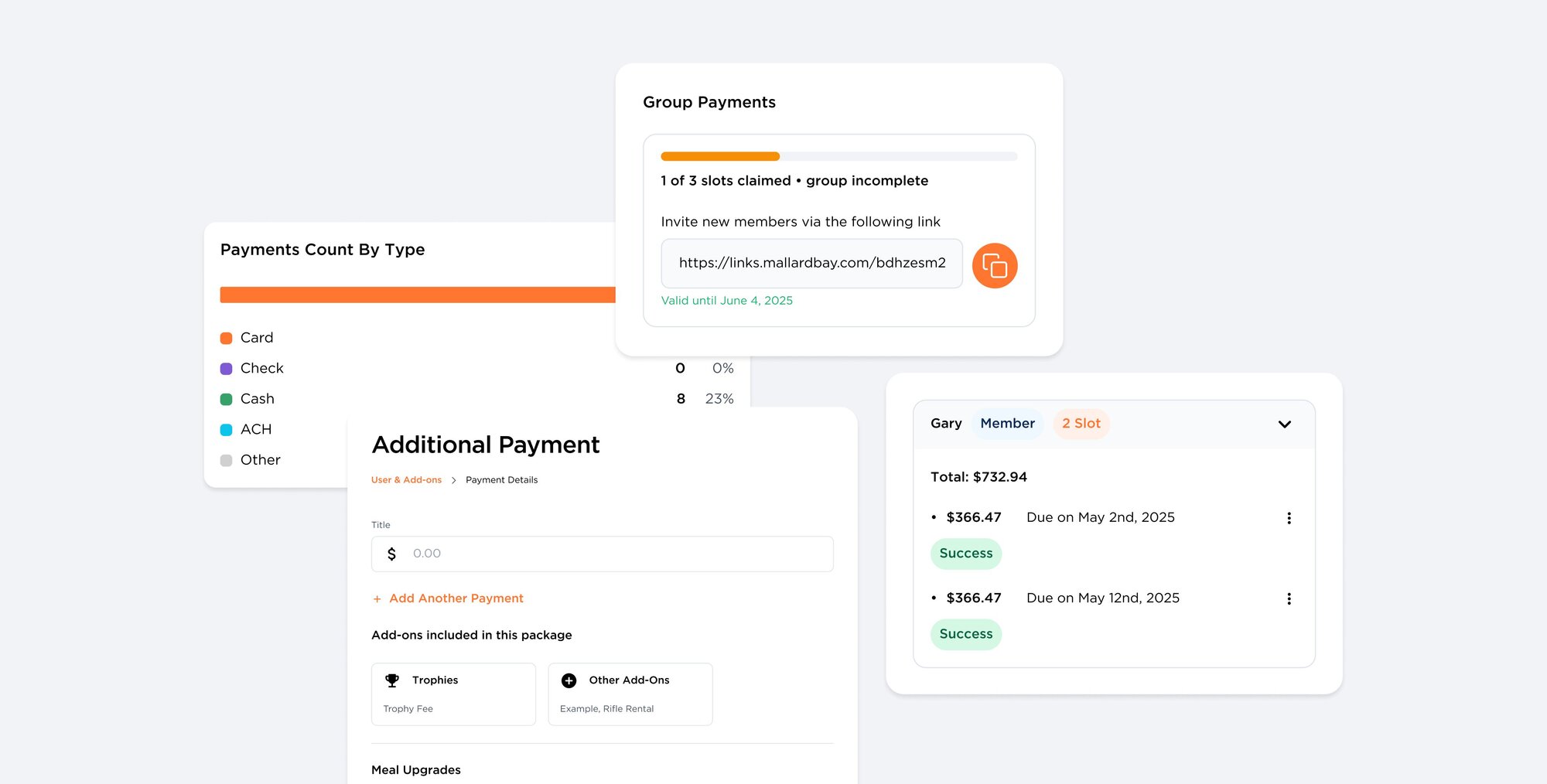
Streamlined Payments
Payments & Financials sets the outfitter-wide rules for guest money in Mallard Bay: deposits, balance timing, who pays processing fees, booking tax rate, post-booking charges, and coupons. Guests pay through Stripe-backed checkout on booking payment requests and Quick Pay links, and every transaction shows up in Reporting.
Automated Payouts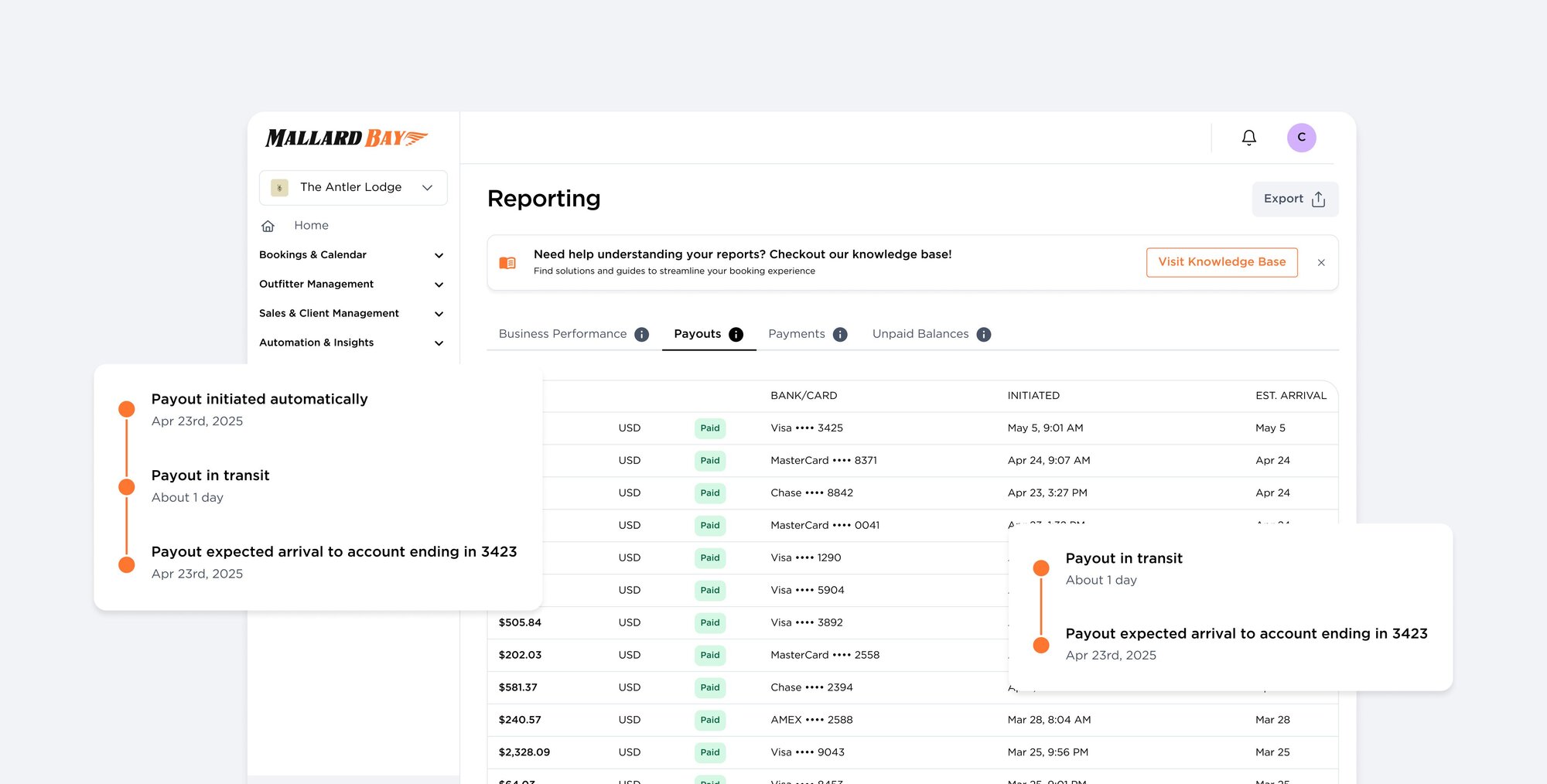
Automated Payouts
Payouts move guest payments from your Stripe connected account to your bank. The Payouts tab in Mallard Bay Reporting shows each transfer's amount, destination, initiation time, estimated arrival, and status, plus the transactions that funded it. Funds typically reach your bank within two business days, with no checks to chase.
QuickBooks Integration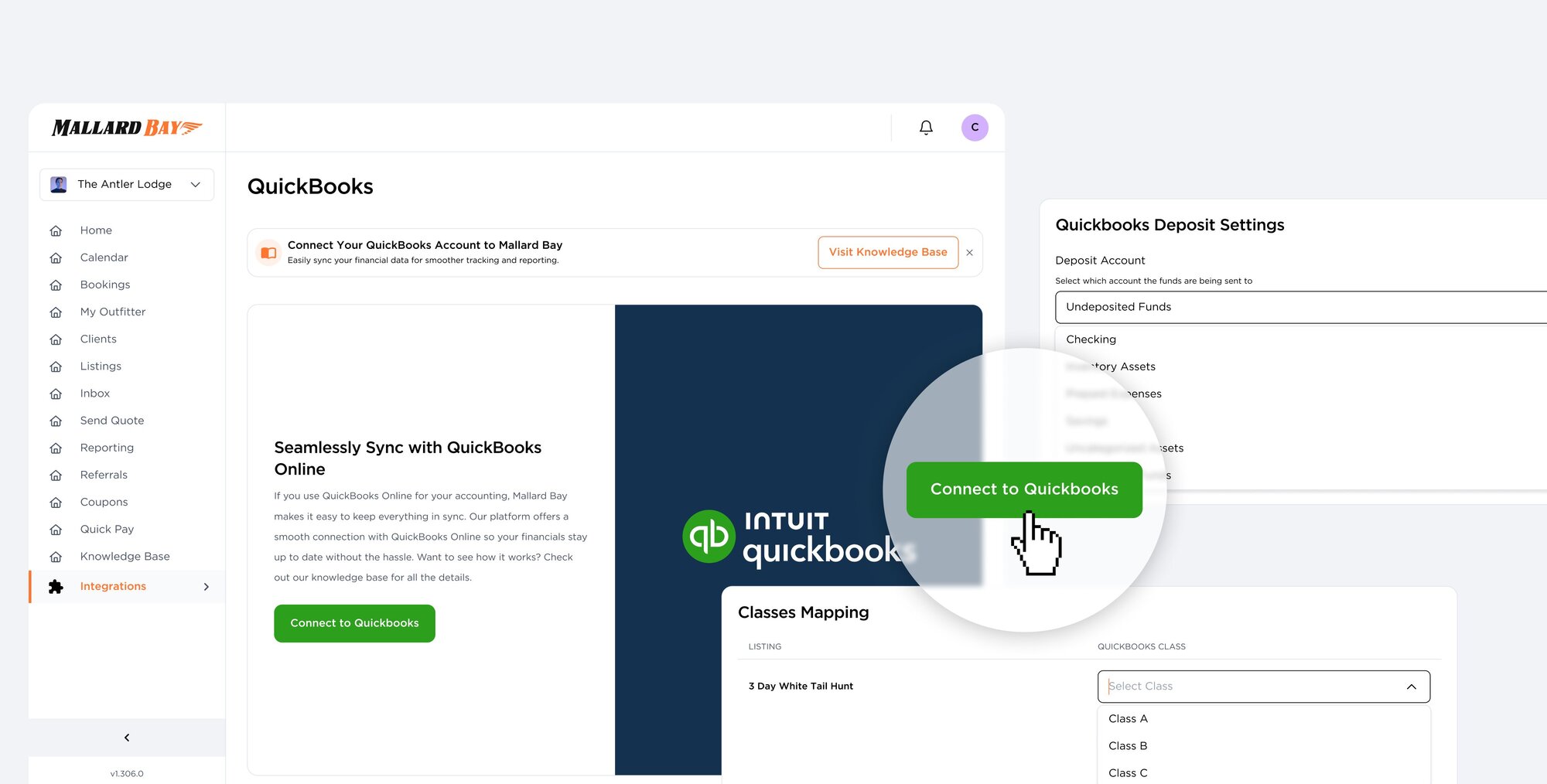
QuickBooks Integration
The QuickBooks integration connects your Mallard Bay outfitter account to QuickBooks Online so booking payments align with your books. Authorize through Intuit, set your invoice date and deposit account preferences, then map listings, pricing packages, and add-ons to QuickBooks classes and products or services. Your Mallard Bay subscription is billed separately.
Streamline Scheduling & Never Miss a Booking
Let clients book instantly with online scheduling, manage your availability seamlessly, and protect your revenue with built-in refund protection.
Booking Widget
Booking Widget
The Mallard Bay Website Widget is an embeddable booking experience for your own marketing site, whether it runs on Wix, WordPress, or custom HTML. Guests tap a tab, button, text link, or inline embed and move straight into Mallard Bay booking flows. Every booking lands in your dashboard tied to the same listings and availability as every other channel.
Calendar Management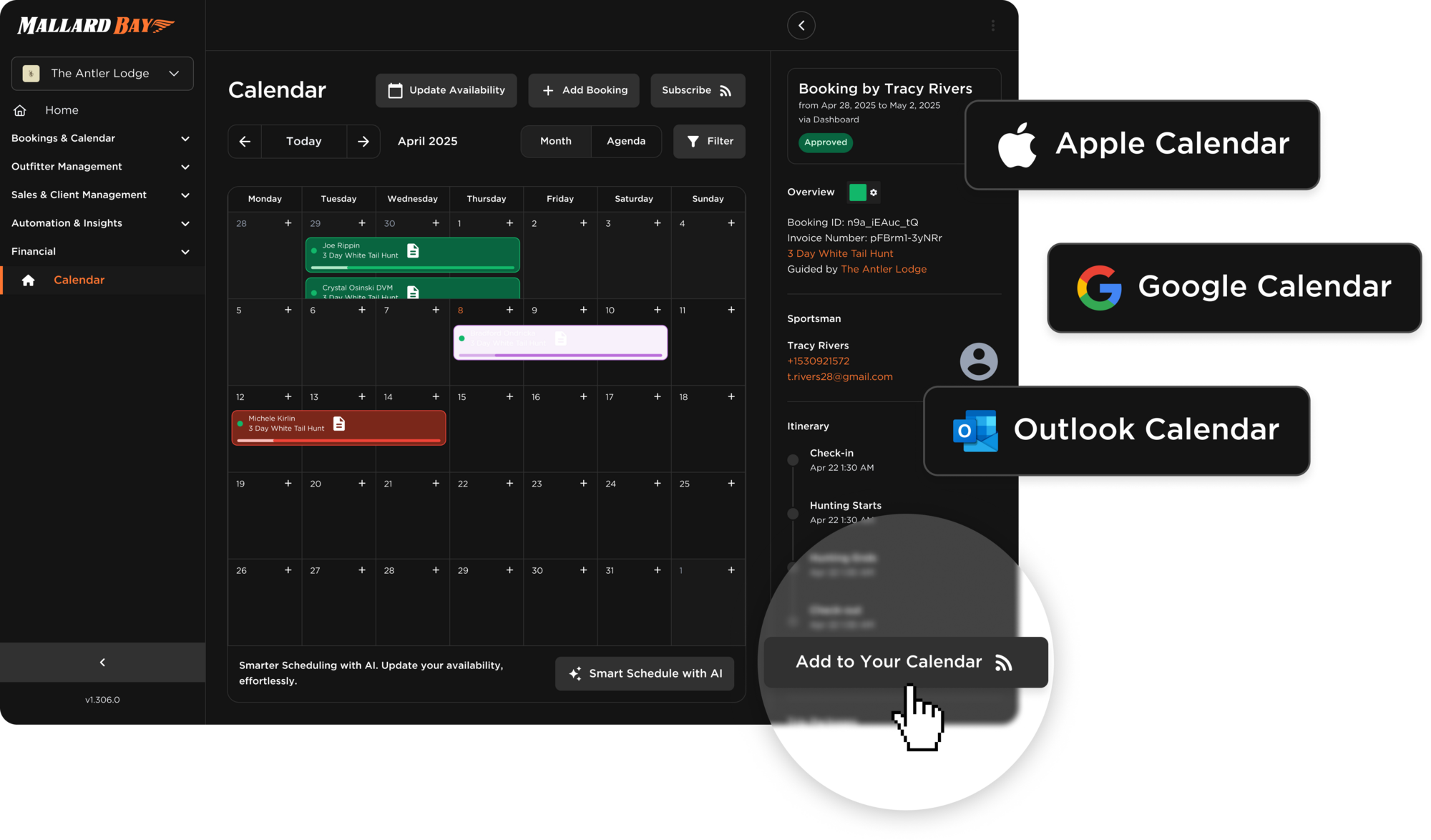
Calendar Management
The Mallard Bay Calendar is the operational hub for your trips: month, week, and agenda views, filters by listing and status, and a side panel for details. Availability is edited separately, so guests only book what you open. Import ICS feeds to block dates from Google, Outlook, or OTA calendars, and subscribe to Mallard Bay from Apple Calendar, Google Calendar, or Outlook.
Trip Insurance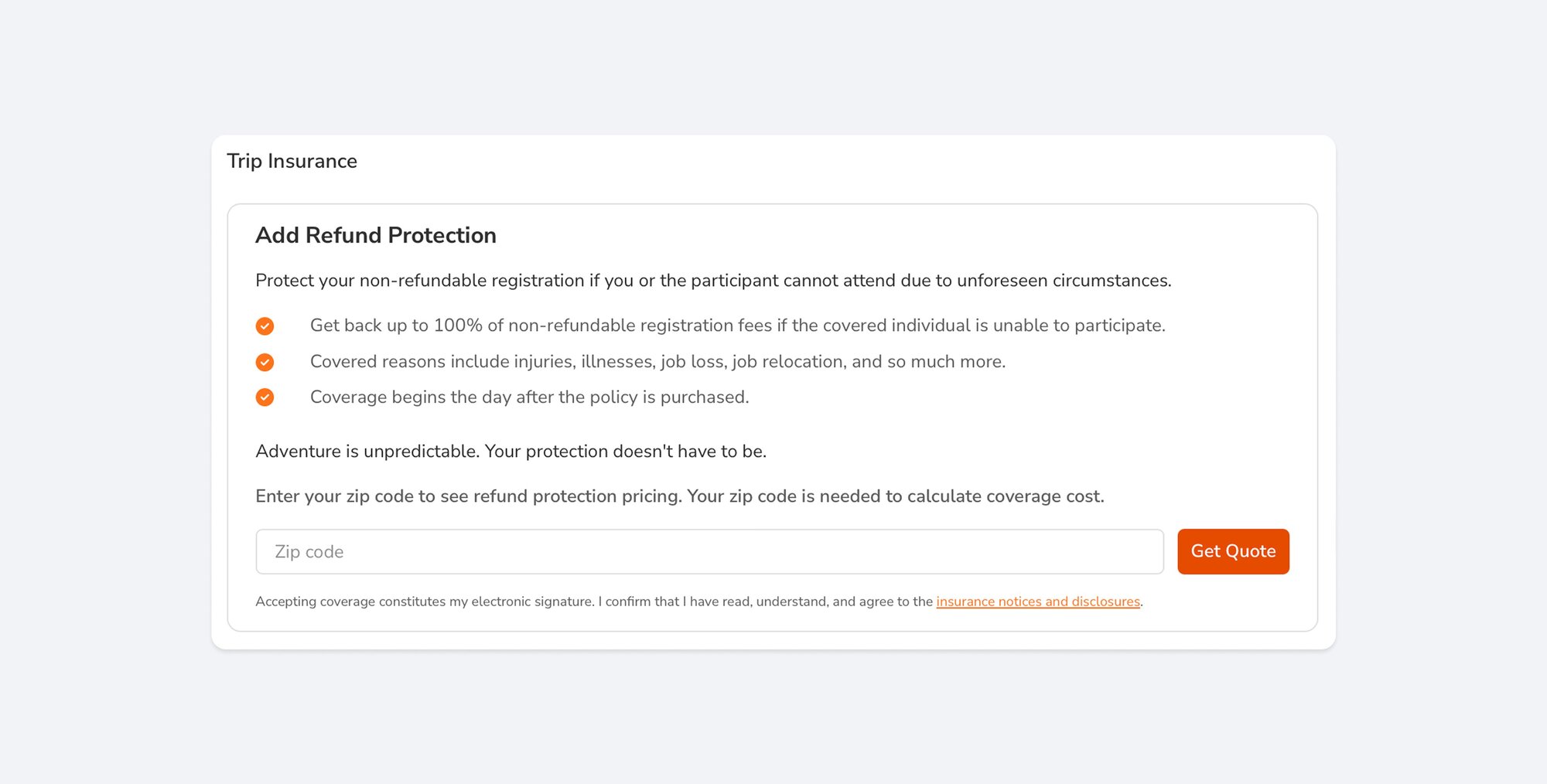
Trip Insurance
Last-minute cancellations hurt your business. With Trip Insurance, your clients get peace of mind—and you keep your payout. No refunds. No reschedules.
Grow Your Business & Keep Clients Coming Back
Track every lead, manage client relationships, and close more bookings with tools designed for guide services.
Manage Leads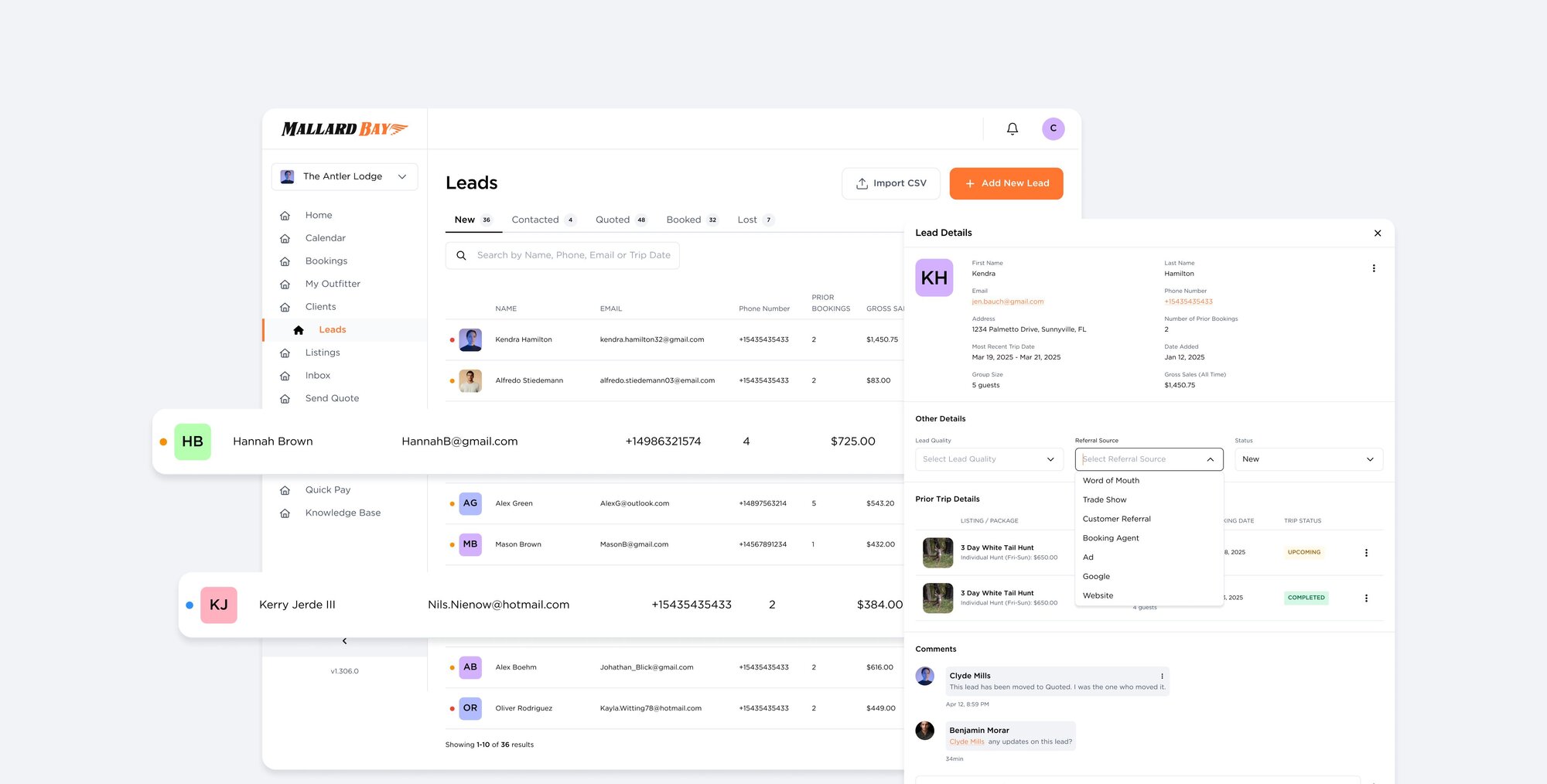
Manage Leads
Leads is an inbox for inbound interest in Mallard Bay. Each row shows the prospect, a cold, warm, or hot quality flag, source, contact details, prior bookings, gross sales, and notes. Move leads through New, Contacted, Quoted, Booked, Lost, and Disqualified. Leads arrive by manual entry, CSV import, Facebook and Instagram, your custom forms, or the AI assistant.
Client Portal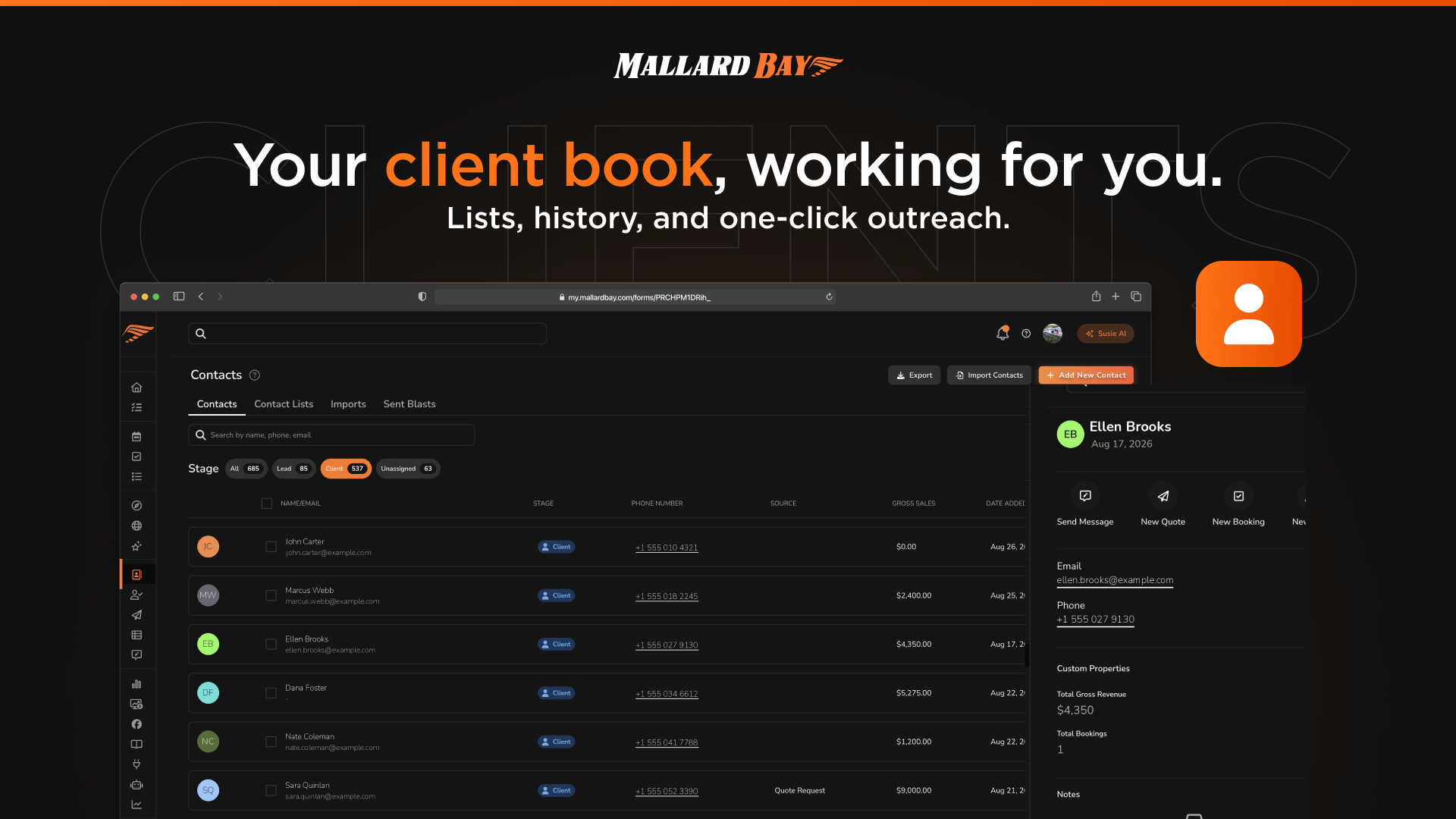
Client Portal
Clients is the guest roster inside Mallard Bay: one place to see everyone you know, segment them into client lists for outreach and campaigns, and tag them with custom properties you define. Client records connect to bookings, quotes, leads, and messaging, so notes and history follow each guest across sales and operations.
Quotes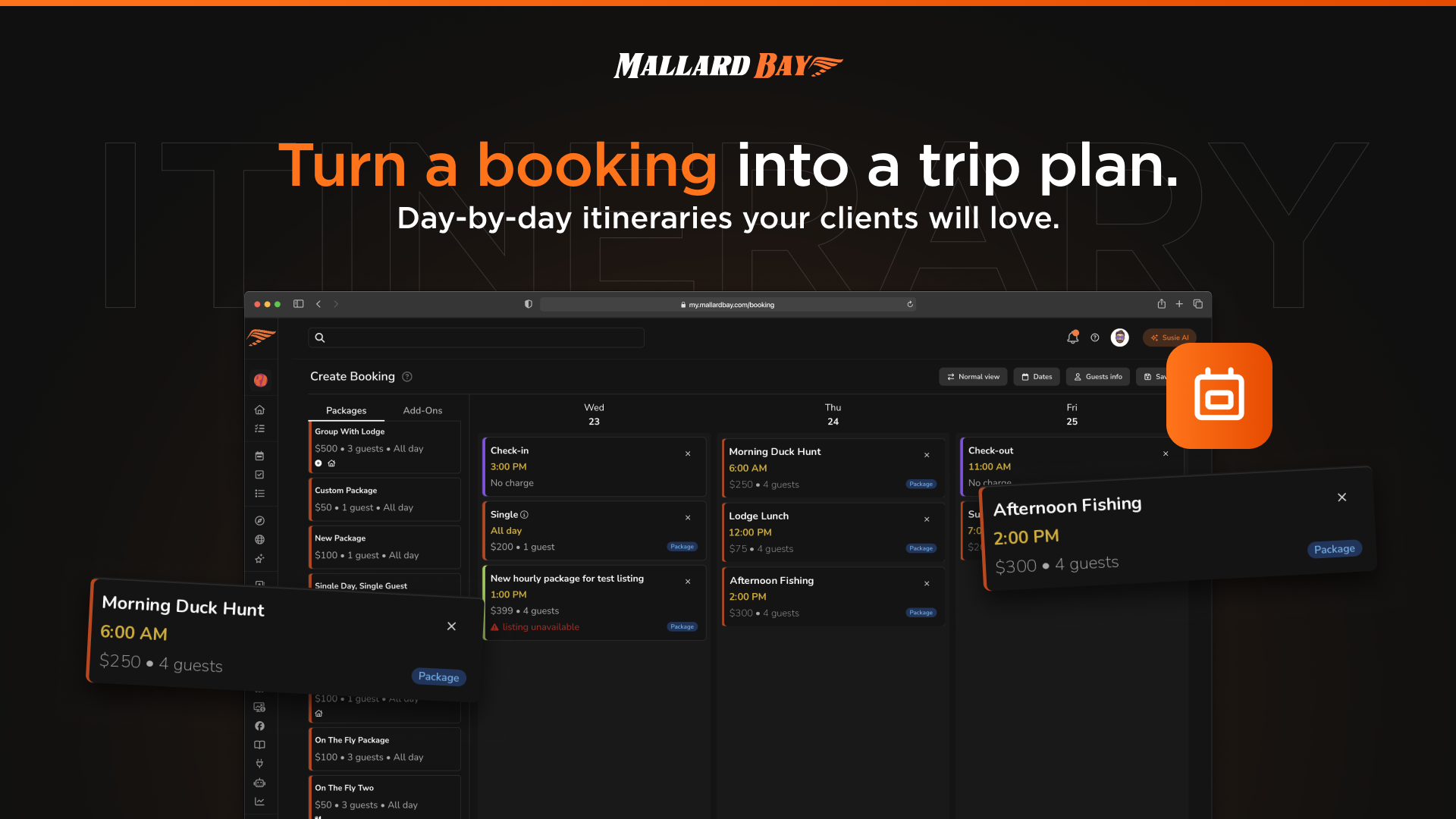
Quotes
Quotes package a trip offer in Mallard Bay: listing, dates, package, guests, add-ons, optional coupon, notes, and pricing, before it becomes a confirmed booking. Guest quote requests from your listings or website land in the Quotes area, and every sent quote carries a shareable guest link. When the guest completes checkout, the quote becomes a booking on your calendar.
Digital Waiver Tools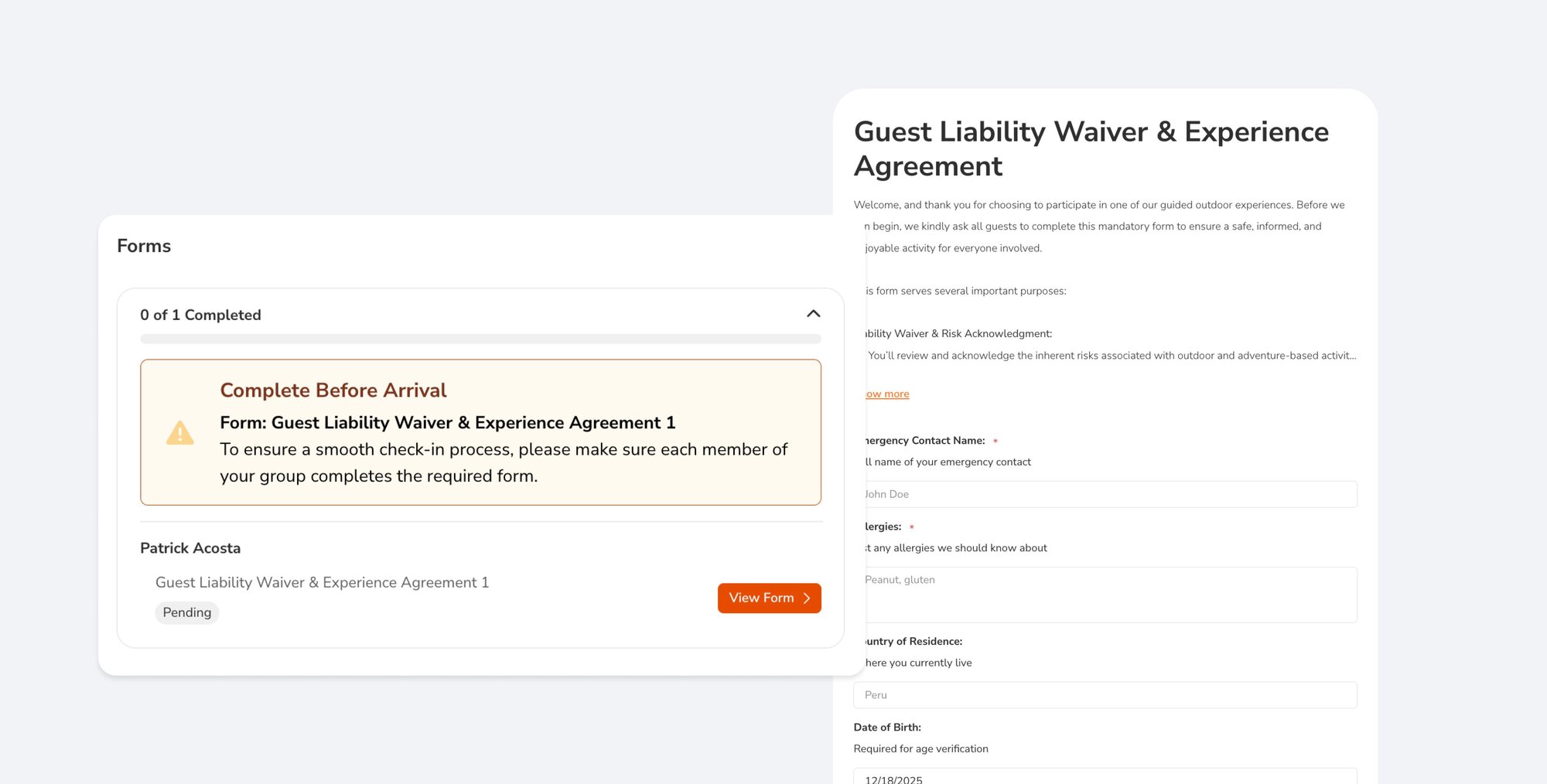
Digital Waiver Tools
Mallard Bay handles waivers two ways. Build an interactive form with a signature field from the Liability Waiver starter template and attach it to specific listings and pricing packages so it becomes part of booking. Or publish a liability waiver document, PDF or link, alongside your trips. Signed submissions are stored on the form's Submissions tab.
Leads
Every Lead Counts. The Leads Tool that helps you close more business without more busywork.
Manage Leads
Manage Leads
Leads is an inbox for inbound interest in Mallard Bay. Each row shows the prospect, a cold, warm, or hot quality flag, source, contact details, prior bookings, gross sales, and notes. Move leads through New, Contacted, Quoted, Booked, Lost, and Disqualified. Leads arrive by manual entry, CSV import, Facebook and Instagram, your custom forms, or the AI assistant.
