Feature · Get Paid Faster & Simplify Your Finances
Streamlined Payments
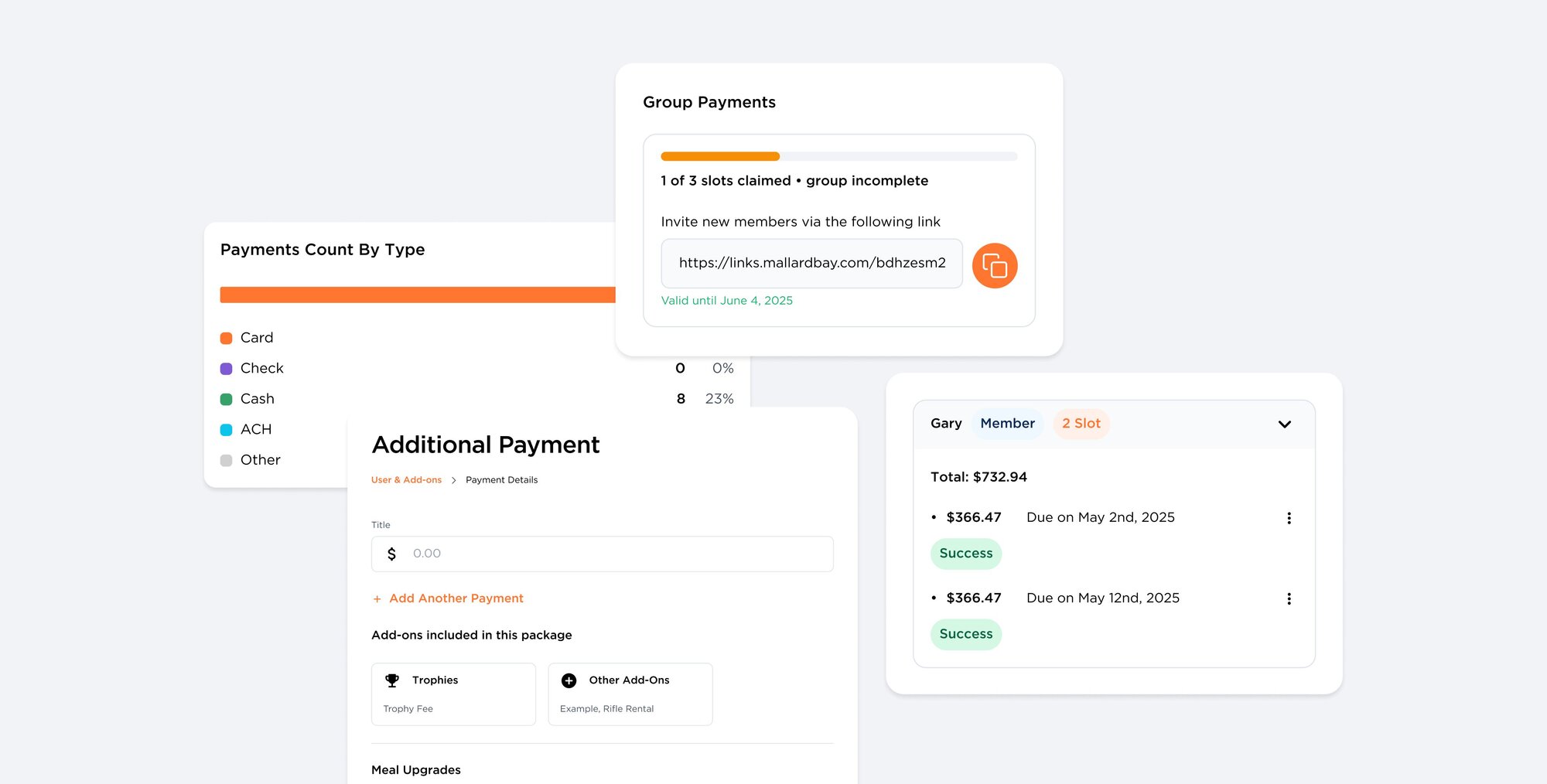
Payments & Financials sets the outfitter-wide rules for guest money in Mallard Bay: deposits, balance timing, who pays processing fees, booking tax rate, post-booking charges, and coupons. Guests pay through Stripe-backed checkout on booking payment requests and Quick Pay links, and every transaction shows up in Reporting.
Benefits
- Deposits as a fixed amount or percentage, with balance timing rules
- Choose whether the guest or your business pays processing fees
- Quick Pay links and QR codes for phone deposits, merchandise, or custom charges
- Request additional payments on any booking
- Tap to Pay and card readers in the mobile app for in-person payments
More in Get Paid Faster & Simplify Your Finances
Automated Payouts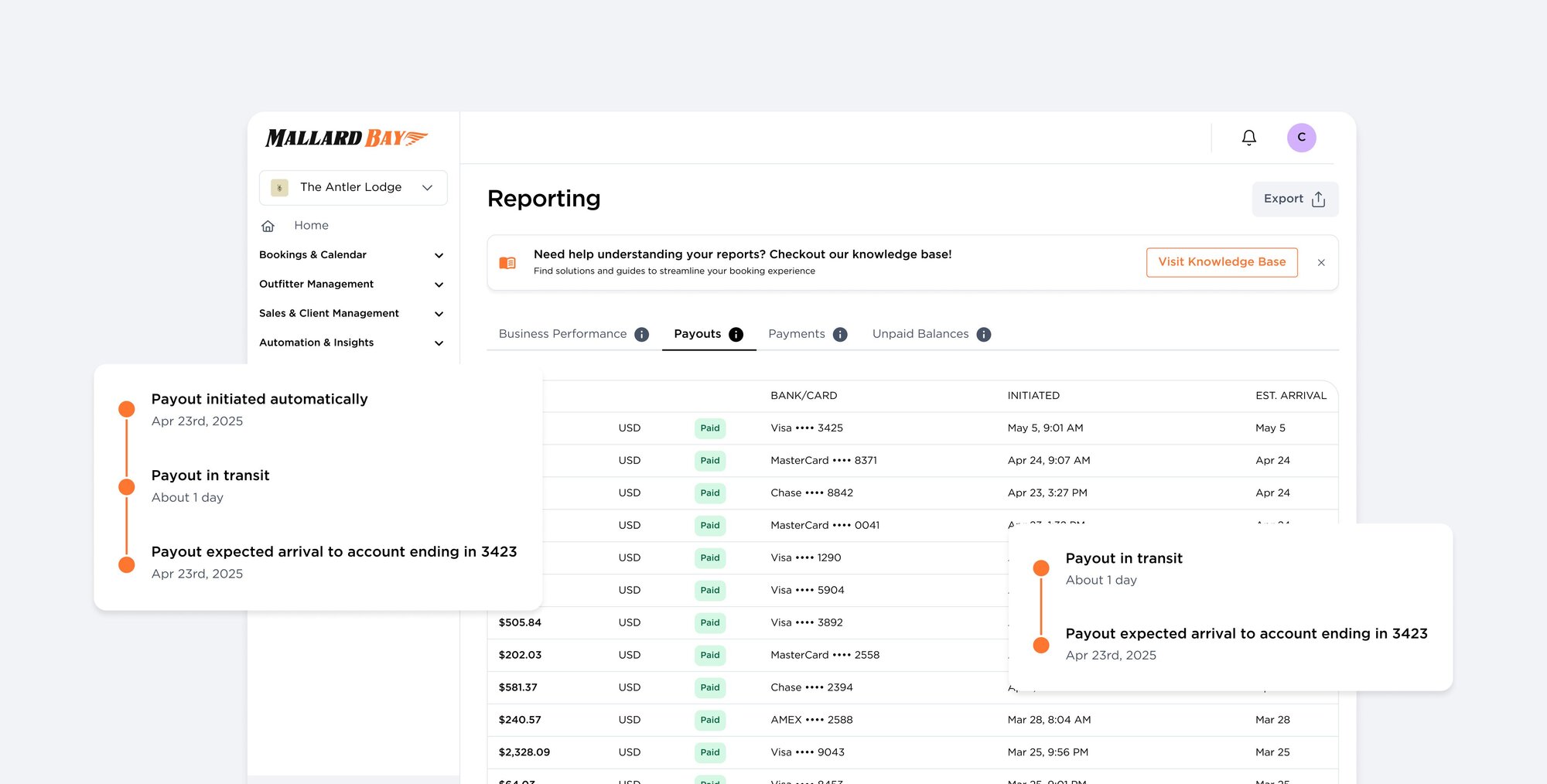
Automated Payouts
Payouts move guest payments from your Stripe connected account to your bank. The Payouts tab in Mallard Bay Reporting shows each transfer's amount, destination, initiation time, estimated arrival, and status, plus the transactions that funded it. Funds typically reach your bank within two business days, with no checks to chase.
QuickBooks Integration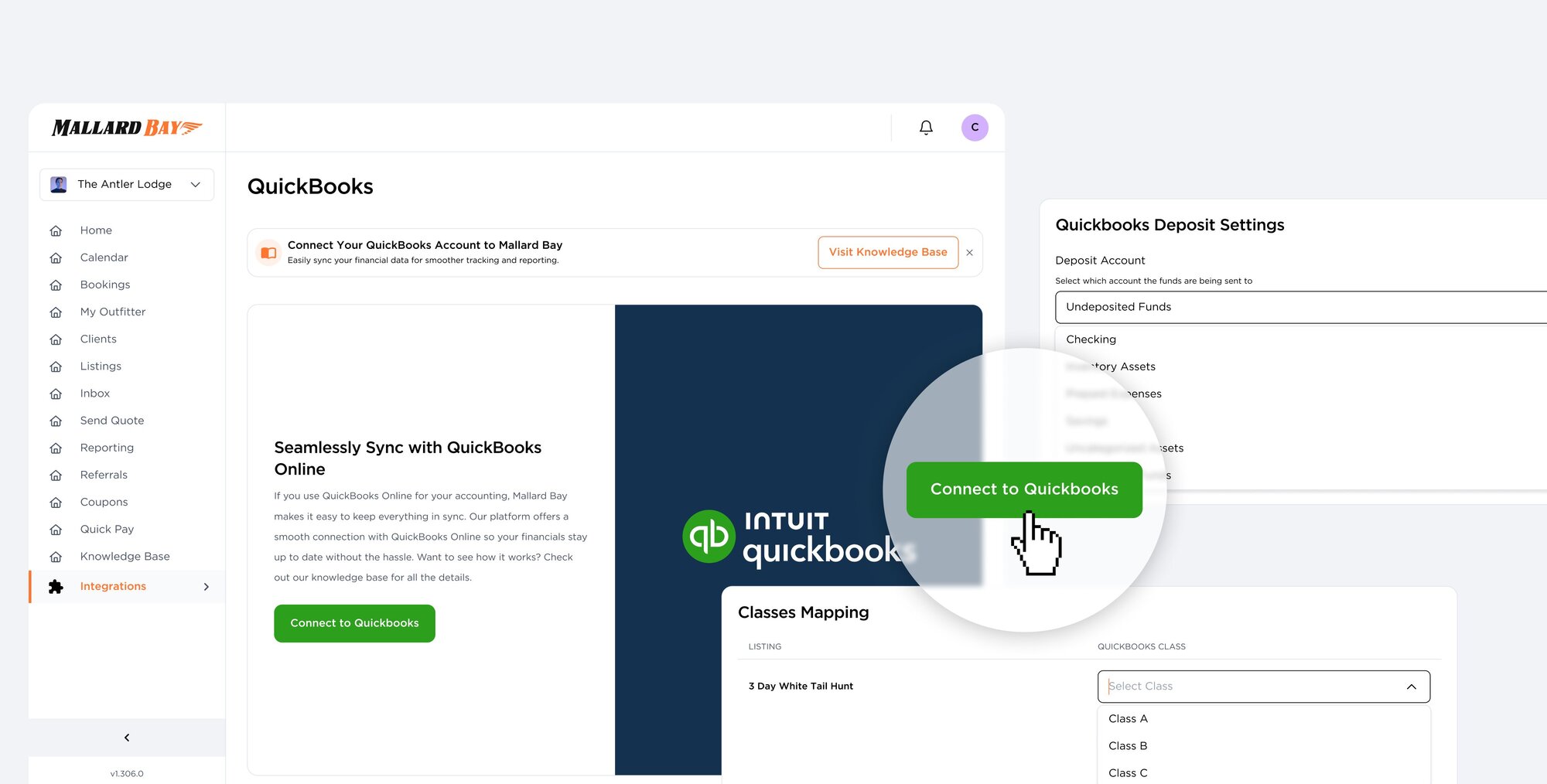
QuickBooks Integration
The QuickBooks integration connects your Mallard Bay outfitter account to QuickBooks Online so booking payments align with your books. Authorize through Intuit, set your invoice date and deposit account preferences, then map listings, pricing packages, and add-ons to QuickBooks classes and products or services. Your Mallard Bay subscription is billed separately.
